

Request More Information

Email:  WhatsApp:

koenig-logo

Draft, Analyze, And Present With Microsoft 365 Copilot

25 Mar 2026   09:30 AM CST

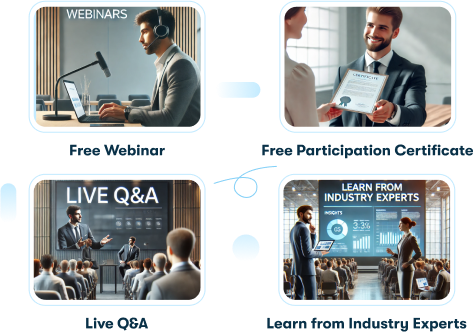
  • Free Webinar
  • Live Q&A
  • Free Participation Certificate
  • Learn from Industry Experts

Learn More About This Topic

Webinar Overview
This webinar introduces how Microsoft 365 Copilot can help users work smarter and faster using AI. Participants will learn how to draft documents in Word, analyze data in Excel, create presentations in PowerPoint, manage emails in Outlook, and collaborate effectively in Teams using simple prompts. The session also covers practical use cases and responsible AI practices. By the end of the webinar, attendees will understand how to use Copilot in daily tasks to improve productivity, creativity, and decision-making across Microsoft 365 apps.
Key Points

  • Create Content Faster with AI – Learn how Copilot helps draft documents, emails, and presentations using simple prompts.
  • Analyze Data Easily – Use Copilot in Excel to summarize data, find insights, and make data-driven decisions.
  • Work Smarter Across Microsoft 365 – Improve collaboration and productivity in Teams, Outlook, and other apps with Copilot support.
Meet The Trainer
Olasunmibo Joel  Akerele
Olasunmibo Joel Akerele

Register for the Webinar
Registration successful!
Details have been shared over email.
Explore More Webinars
Draft, Analyze, And Present With Microsoft 365 Copilot
Show More

Webinar Summary:

This webinar introduces how Microsoft 365 Copilot can help users work smarter and faster using AI. Participants will learn how to draft documents in Word, analyze data in Excel, create presentations in PowerPoint, manage emails in Outlook, and collaborate effectively in Teams using simple prompts. The session also covers practical use cases and responsible AI practices. By the end of the webinar, attendees will understand how to use Copilot in daily tasks to improve productivity, creativity, and decision-making across Microsoft 365 apps.

25 Mar 2026 | 09:30 AM CST   1 Hour

Prioritization And Workload Management - Strategies To Stay Focused, Organized, And Effective
Show More

Webinar Summary:

Prioritization and workload management are essential skills that enable professionals to focus on what truly matters, meet deadlines efficiently, and maintain productivity without burnout. Effective prioritization involves identifying tasks based on urgency and importance, aligning them with organizational goals, and planning time accordingly. Workload management ensures resources and efforts are balanced to achieve optimal results. By setting clear goals, organizing tasks, delegating effectively, and learning to say “no” when necessary, professionals can enhance performance, reduce stress, and create a sustainable workflow that supports both personal and team success.

25 Mar 2026 | 02:30 AM CST   1 Hour

Microsoft Security, Compliance, And Identity (SCI)
Show More

Webinar Summary:


Microsoft’s tools scope understanding on Security, Compliance, and Identity (SCI), introduces the core principles for protecting organisational data and resources.

25 Mar 2026 | 03:30 AM CST   1 Hour

Explore Related Courses

Introduction to Microsoft Copilot